How-to1:15 minDeutsche Fassung
From brief to agenda
A few sentences become your workshop agenda. Speak your brief (transcription is free and doesn’t count toward your drafts), set people, duration and format, and Weaver builds the draft: blocks with timings, methods and a rationale for each one. Then adjust everything the way you want.
Real screen recording of the app, all data fictional. The narration is AI-generated.
Step by step
Hey! Need to run a workshop, for a client, for your own team or as a facilitator? Maybe you already know exactly what should come out of it. Maybe not yet. Either way is fine. Start with what you know, and build your workshop concept step by step with Weaver. Then refine it with your client or stakeholders.
Speak your brief
The fastest way is your voice. Click the microphone and just talk: the goal, the group, what's going on. It all lands in the text field. Transcription is free and doesn't count toward your drafts.
Basics: people, duration, format
Then the basics: how many of you are there, how much time do you have, and are you meeting in person or online?
Click “Start planning”
Click “Start planning”. Your brief lands in the studio, and Weaver is right there. If something's missing, Weaver asks.
Click “Generate agenda”
All set? Then “Generate agenda”. And there's your draft: with timings, methods and a rationale for every block.
Now the agenda is yours
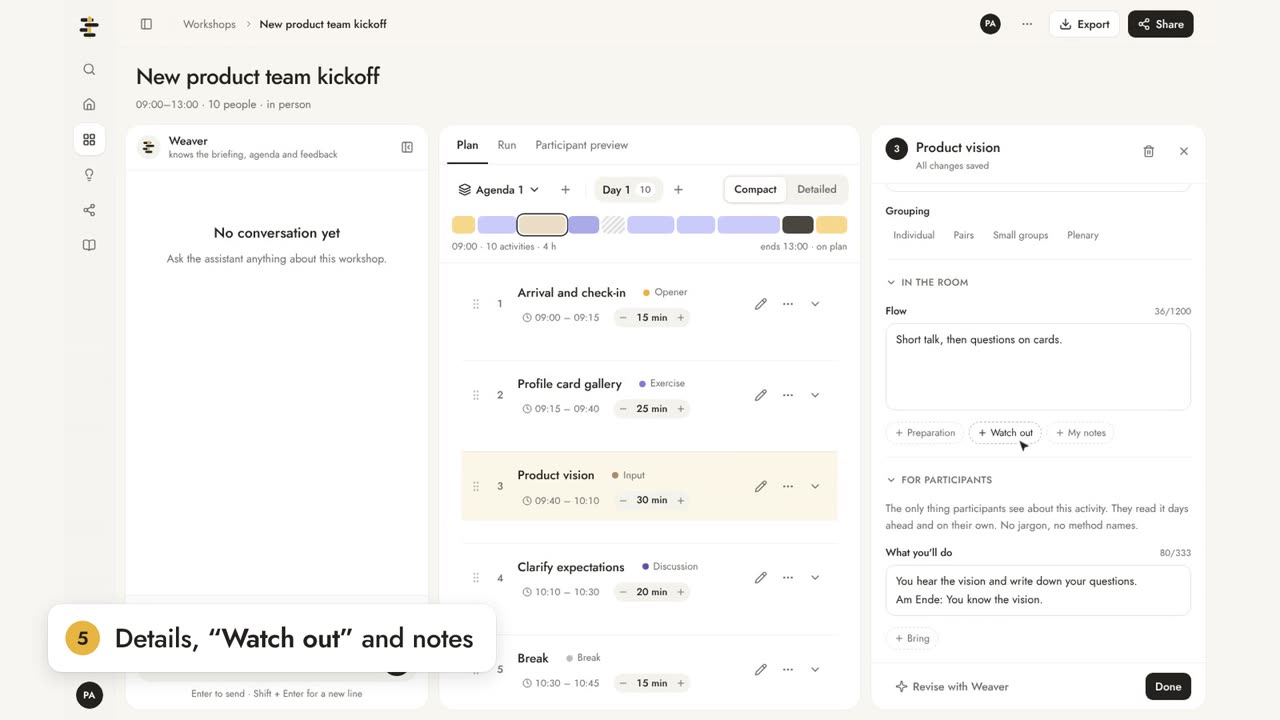
From here on, you're in charge. A few extra minutes here, a block opened up there. The timeline shows you right away whether you're on schedule.
Up next
All videos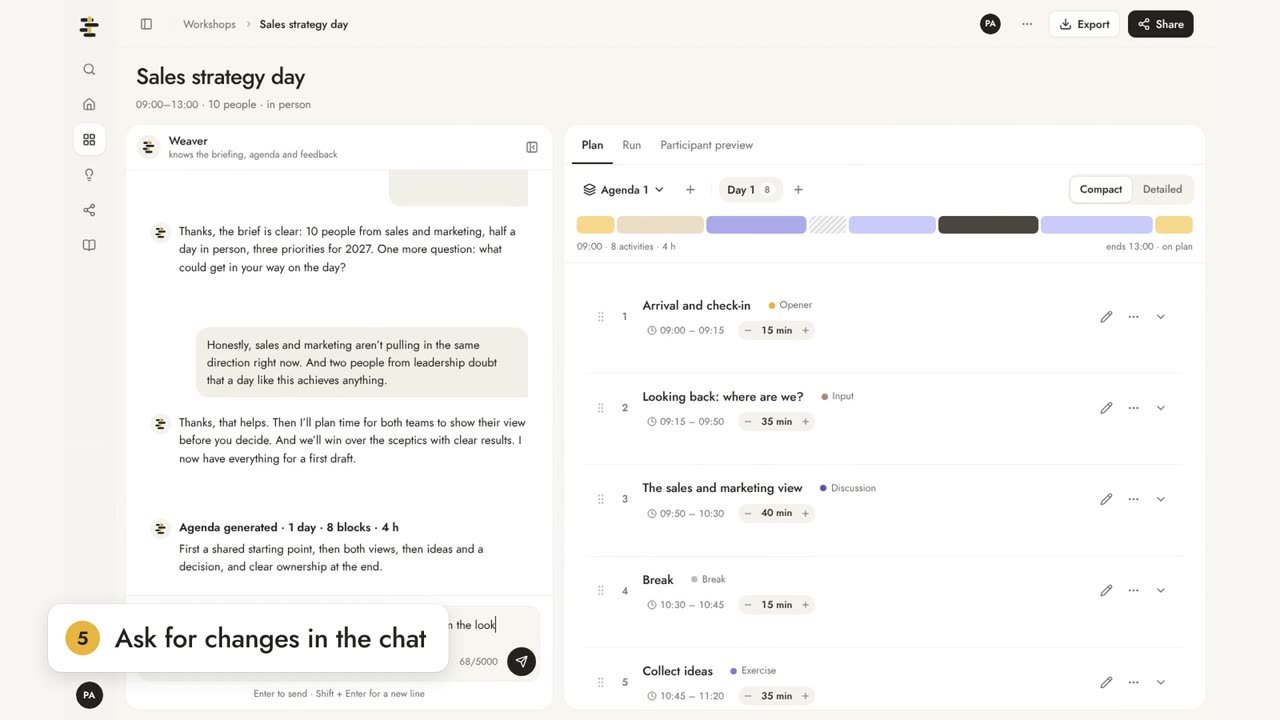
Planned from the goal.
7 days free · No credit card · Cancel anytime