How-to1:40 minDeutsche Fassung
Export, share, collaborate
Bring your agenda to the people taking part: export as PDF or DOCX (agenda, detailed version, facilitator card, wall agenda), share a link with participants, invite colleagues to co-plan, request a review from your client and work the feedback in with Weaver.
Real screen recording of the app, all data fictional. The narration is AI-generated.
Step by step
Your agenda is ready? Then bring it to the people taking part. Here's how to export, share and get feedback.
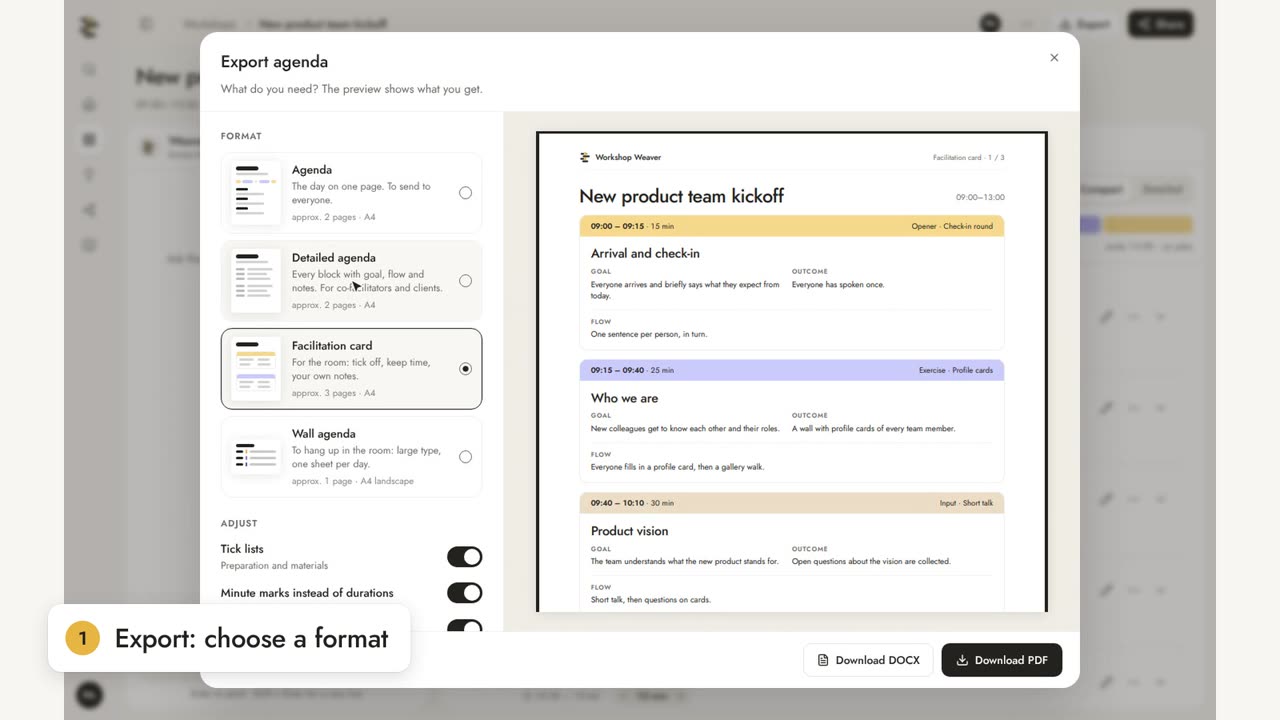
Export: choose a format
Under “Export” you choose the format: the agenda for everyone, a detailed version, a facilitator card for you or a wall agenda. The preview shows the result right away. Then download it as PDF or DOCX.
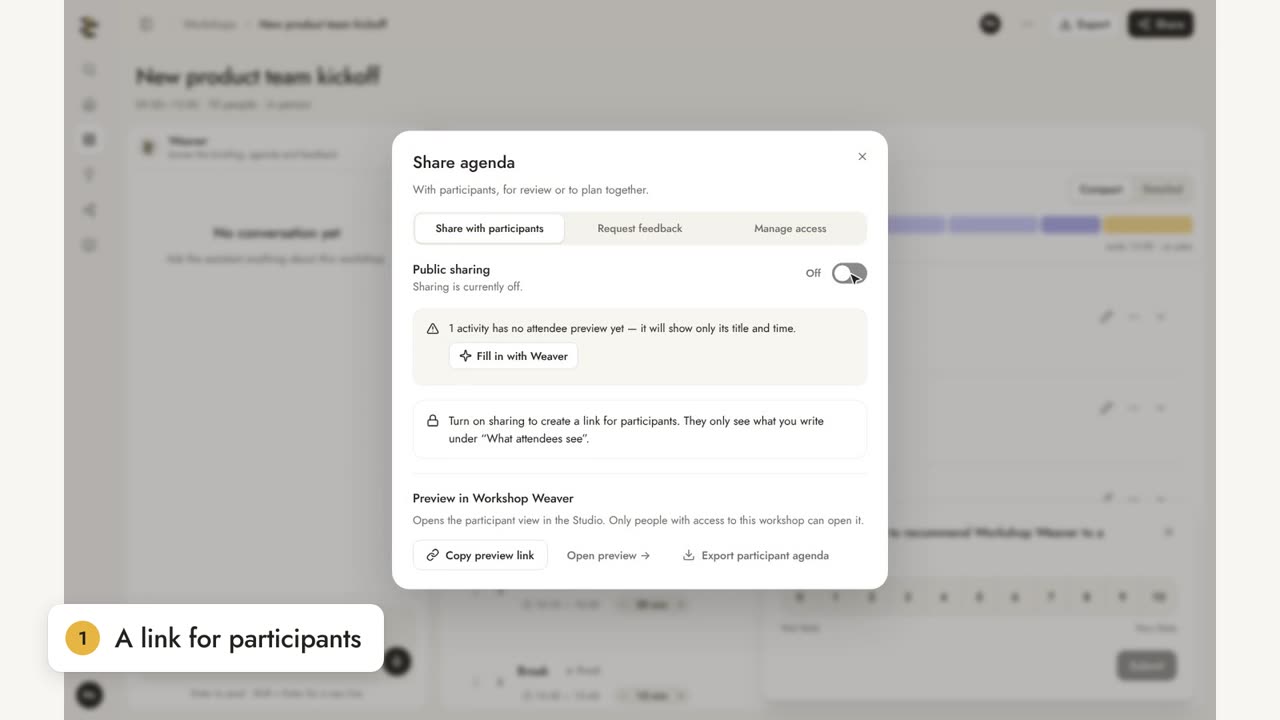
A link for participants
Participants get a link. Turn sharing on, copy the link, done. They see the agenda without your facilitation notes.
Invite people to co-plan
Want to plan together? Under “Manage access” you invite colleagues and decide whether they can edit, comment or only view.
Request a review
For feedback from your client or stakeholders, you request a review: name and email, your question, a deadline. The person gets a personal link.
What the reviewer sees
Here's what they see: no account needed. They read the agenda and comment right on individual blocks.
“Work in with Weaver”
Back with you, the feedback is already there. With “Work in with Weaver”, Weaver applies it straight to the agenda, and you see exactly what changed.
Up next
All videos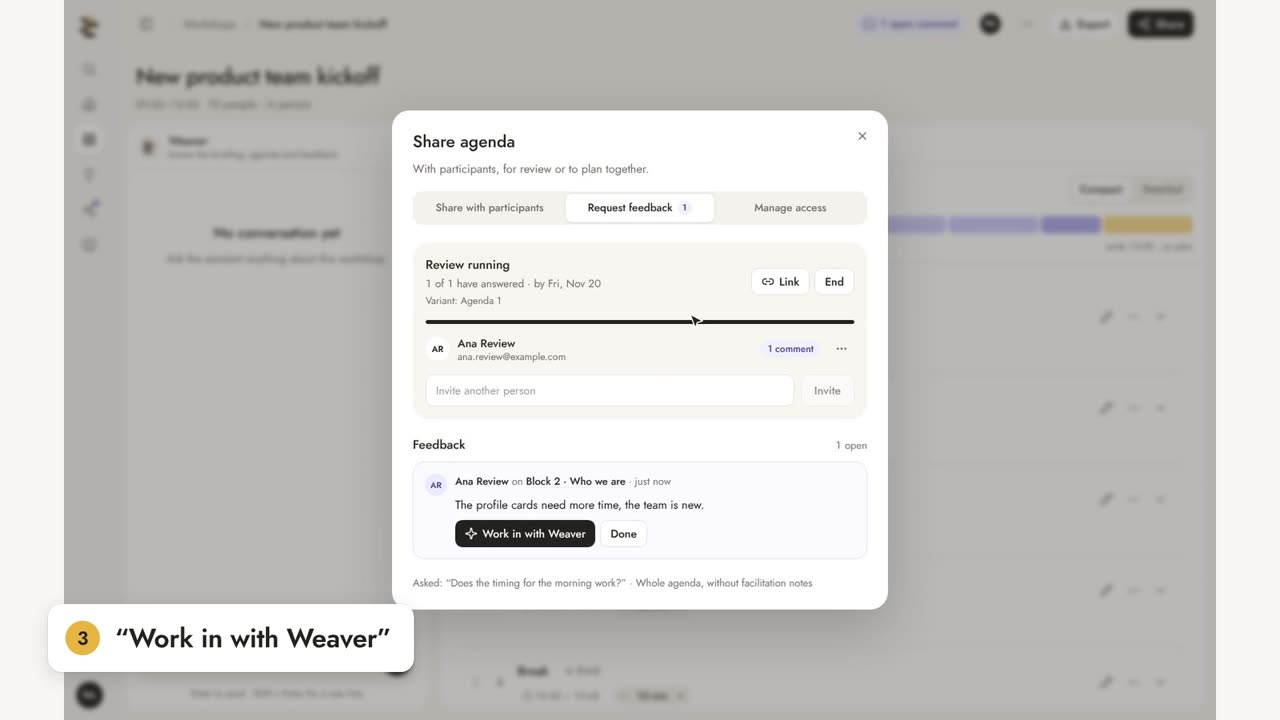
Planned from the goal.
7 days free · No credit card · Cancel anytime