How-to1:07 minDeutsche Fassung
Multi-day workshops
Retreat, training or offsite over two or three days: set days and length per day, generate the agenda, switch between days, give each day its own start time, move blocks to another day and add more days.
Real screen recording of the app, all data fictional. The narration is AI-generated.
Step by step
Some workshops need more than one day. Here's how to plan retreats and trainings over two or three days.
Set days and length per day
When you start, set how many days there are and how long each day runs. Here it's two days of four hours each, in person.
Click “Generate agenda”
Weaver plans each day as its own unit, with an opener, a break and a closing.
Days and “All days”
Switch between the days at the top. “All days” shows everything at once, with a timeline for each day.
A start time per day
Day two should start earlier? Tell Weaver, and that day's start time is updated. Every day has its own schedule.
Move a block to another day
A block fits better on another day? Move it there from the menu and nudge it into the right spot.
Add a day
And if you need more time, add another day with one click. Up to three days are possible.
Up next
All videos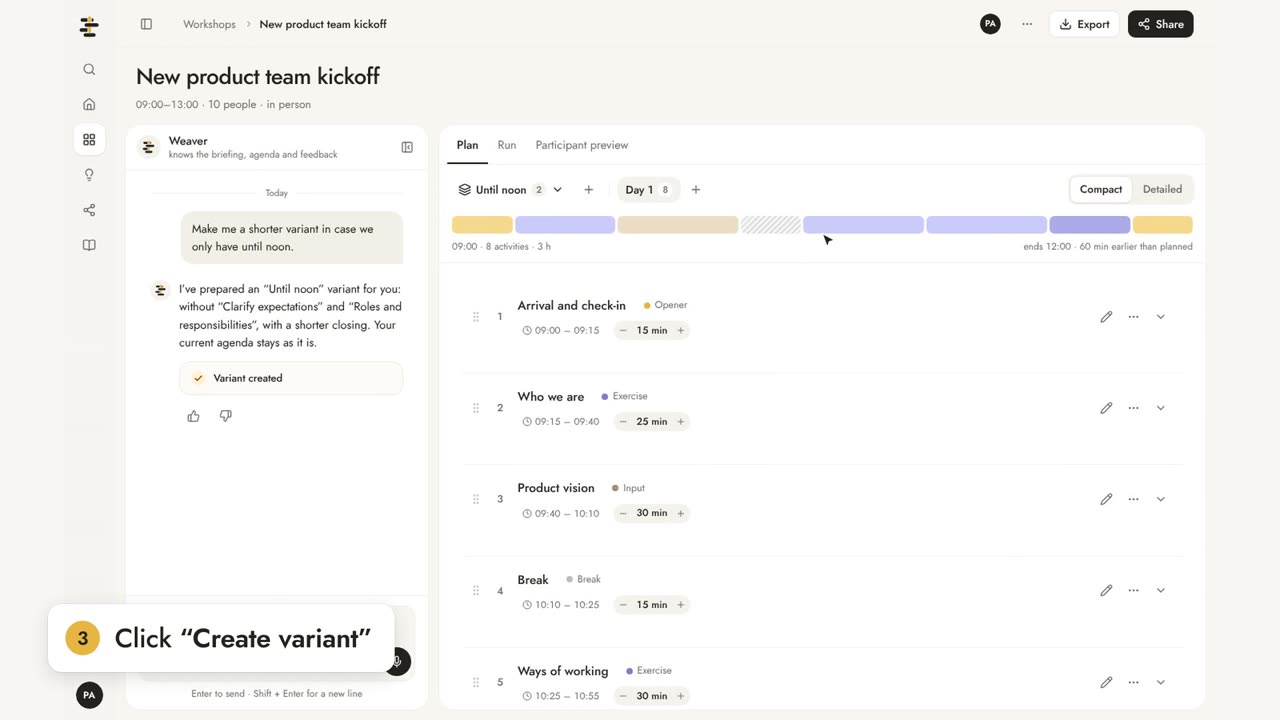
Planned from the goal.
7 days free · No credit card · Cancel anytime